Keyboard Shortcuts & Hotkey Guide
Master lightning-fast copy & paste workflows on macOS without taking your fingers off the keyboard.
| Action | Default Shortcut | Description |
|---|---|---|
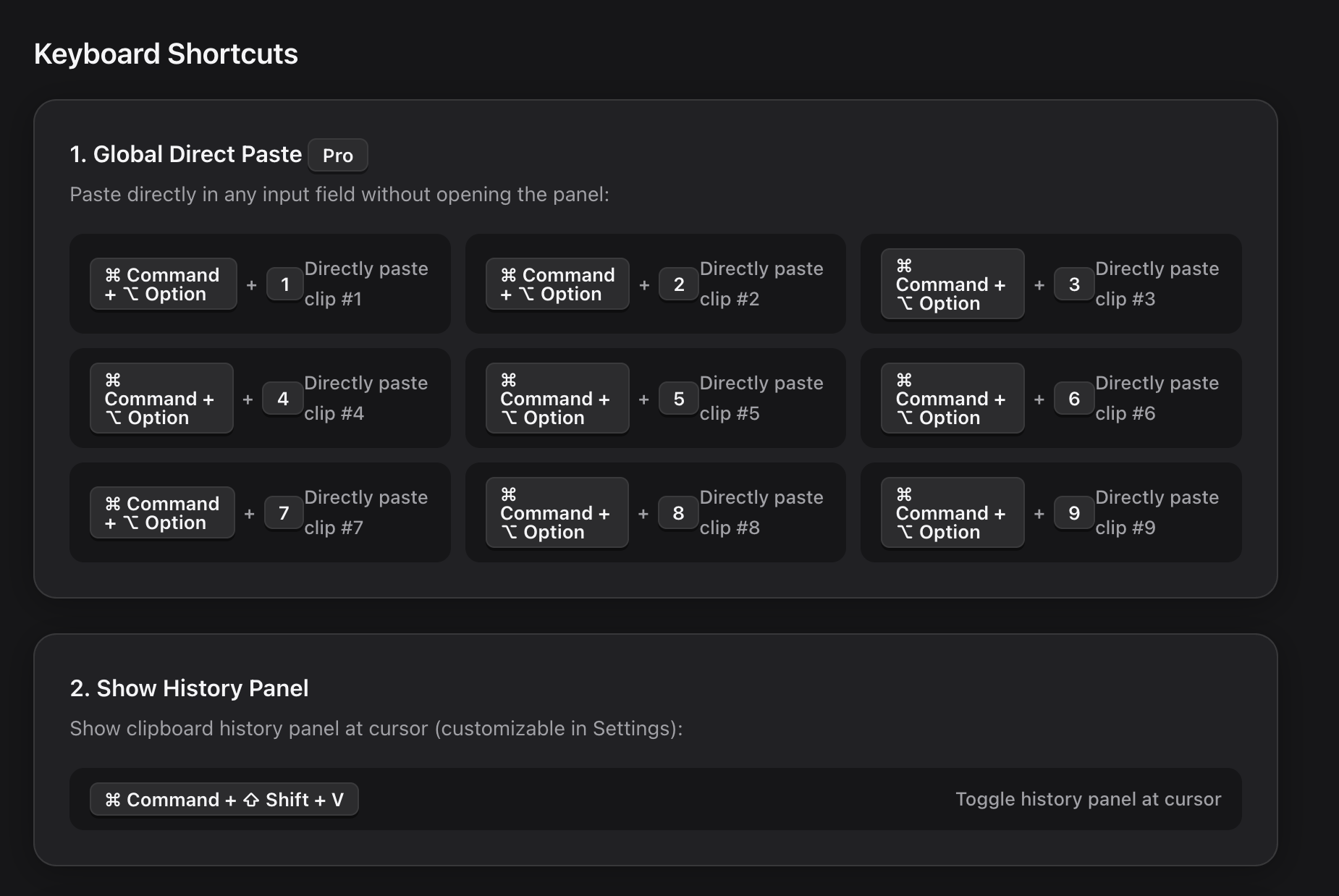
| Open History Panel | ⌘ + ⇧ + V | Pops up the clipboard history list right next to your active mouse cursor. |
| Direct Paste #1 ~ #9 | ⌘ + ⌥ + 1~9 | Directly pastes your 1st to 9th recent clip into the current app without opening any UI window. |
| Pin / Unpin Clip | ⌘ + P | Locks the selected item to the top permanently. Pinned items are never deleted. |
| Quick Search | Any Letter / Digit | Typing automatically filters through your text, formatted code, links, and screenshots. |
| Paste Selection | Return or Enter | Pastes the highlighted clip into the target application immediately. |
| Navigate List | ↑ / ↓ Arrow Keys | Move up and down across clipboard history with real-time preview. |
| Close Window | Esc | Dismisses the clipboard history popup and returns focus to your front app. |